


Bluetooth Keyboard PCB Guide: Design, Manufacturing and Cost
Bluetooth keyboards have become an essential part of modern computing because they remove cables, declutter desks, and work with laptops, tablets, phones, and smart TVs alike. Behind every reliable wireless keyboard sits a small but sophisticated part: the Bluetooth keyboard PCB. This dedicated printed circuit board manages wireless communication, reads every key press, and controls power consumption so the keyboard lasts for weeks or months between charges. Without it, a wireless keyboard is nothing more than a collection of lifeless keys. This guide explains what a Bluetooth keyboard PCB is, how it works, which types exist, how much it costs, and how to pick a manufacturer you can trust.
What Is a Bluetooth Keyboard PCB?
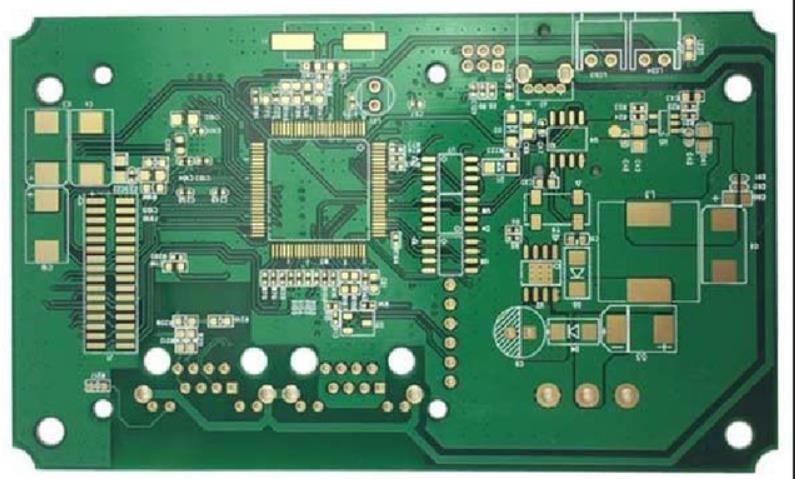
A Bluetooth keyboard PCB is a specially designed circuit board that combines the electronics and wireless communication functions of a Bluetooth keyboard in one compact unit. Unlike a simple wired keyboard board, it carries extra hardware such as a Bluetooth transceiver, a microcontroller (MCU), and battery management circuitry. These components allow the keyboard to operate without cables and to pair with computers, tablets, smartphones, and televisions over the air. The board also provides the mechanical anchor for switches, backlight LEDs, and connectors, which means its layout directly affects typing feel, response speed, and durability.
The compact board inside a modern keyboard is a small radio system, a computer, and a human interface device at the same time. It must receive power from a tiny battery, detect key presses hundreds of times per second, encode them into data packets, and transmit those packets with low latency while using almost no energy. Each of those jobs places requirements on the PCB layout, component selection, and firmware, which is why serious keyboard brands treat the PCB as the heart of the product rather than a commodity part.
How a Bluetooth Keyboard PCB Works
The workflow inside a Bluetooth keyboard PCB can be divided into four steps that repeat continuously while the keyboard is in use. Key detection comes first: the switch matrix senses when a key is pressed and identifies which switch in the grid changed state. Signal conversion follows, where the MCU converts the raw switch signals into digital key codes using the keyboard layout map stored in firmware. Wireless transmission is next: the Bluetooth module sends the key data to the paired host device using Bluetooth Low Energy technology, which keeps the radio active only for short bursts. Power optimization runs in parallel, with the power management circuit keeping standby current extremely low and waking the radio only when keys are actually pressed.
Latency and battery life depend on how well these four steps are balanced. A keyboard that scans its matrix slowly feels laggy; one that keeps the radio awake drains its battery. Good firmware wakes the MCU from deep sleep on the first key event, transmits the packet in a few milliseconds, and returns to sleep. The PCB supports this behavior by routing clean power to the radio, keeping the antenna area free of noise, and isolating the switch matrix from the RF section. When all these details are handled correctly, users simply experience a keyboard that feels instant and lasts for months.
Key Components of a Bluetooth Keyboard PCB
A complete Bluetooth keyboard PCB carries a coordinated set of parts, and each one has a specific job. The Bluetooth transceiver module handles all wireless communication; modern modules support Bluetooth 5.0 or newer for faster pairing, better range, and more stable connections with multiple devices. The microcontroller unit acts as the brain of the keyboard, processing input data and executing firmware instructions, with ARM Cortex-M series chips being the most common choice for their balance of speed and low power. Power management circuitry regulates battery charging, monitors consumption, and protects the cell from over-discharge, which is the difference between a keyboard that lasts months and one that dies every week. The switch matrix detects key presses through a grid of rows and columns, and a USB-C or Micro-USB port provides charging and, in many designs, a wired connection mode. High-end gaming keyboards may add RGB LED driver chips and low-latency wireless chips to the same board.
Types of Bluetooth Keyboard PCB
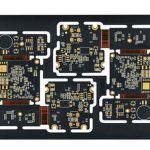
Bluetooth keyboard PCBs come in several forms, and the right choice depends on the product concept. Flexible PCBs, often called FPCs, are extremely thin and bendable, making them the standard for foldable and ultra-slim travel keyboards; because the substrate bends with the design, manufacturing and assembly require a partner experienced in flex PCB assembly. Rigid boards made from FR-4 fiberglass epoxy are stronger and more stable, which is why most desktop and mechanical keyboards use them. Single-layer boards keep cost low for basic models, while multi-layer boards support backlighting, multimedia keys, and denser layouts in high-performance keyboards. Custom PCBs are designed for special layouts such as ergonomic split keyboards, ortholinear boards, and compact 60% or 65% formats. As a practical reference, flexible PCB versions typically cost about 5 to 7 dollars per unit in volume and save space, while rigid multi-layer boards range from 8 to 15 dollars with better durability and more features.
Bluetooth Keyboard PCB Design Essentials
Designing a good Bluetooth keyboard PCB means balancing performance, cost, and user experience from the first schematic. Signal integrity matters because the low-power radio shares the board with digital logic; careful trace routing, grounding, and shielding prevent interference from Wi-Fi radios and other electronics nearby. Battery efficiency is driven by the choice of a low-power MCU and optimized Bluetooth firmware, and a well-tuned design can stretch standby time from weeks to months on a single charge. Ergonomics influence the layout: switch positions must follow the intended key arrangement while the circuit paths underneath stay short and clean. Component selection favors stable, widely available Bluetooth chips and interfaces so that sourcing and servicing remain easy later. Regulatory compliance with FCC, CE, and RoHS certification is a requirement rather than an option, because keyboards must pass these standards before they can be sold globally. A poorly designed board can produce input delay, random disconnections, and fast battery drain, so investing in a thorough PCB design and layout review early is far cheaper than fixing field failures later.
Manufacturing Process for Bluetooth Keyboard PCBs
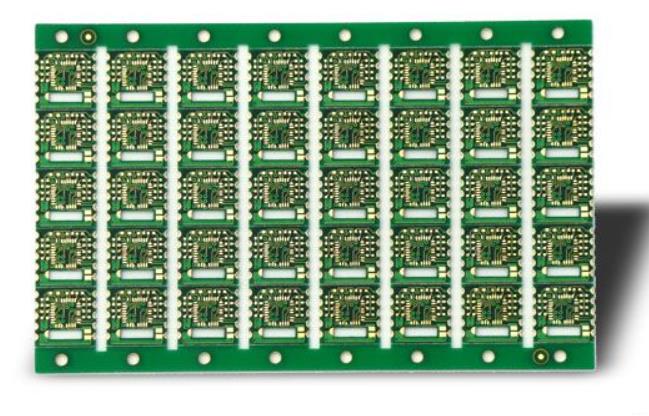
Producing a Bluetooth keyboard PCB follows a well-established sequence that starts with board fabrication. Copper circuits are etched onto the substrate, solder mask and silkscreen are applied, and surface finish protects the pads. From there the board moves to assembly, where the Bluetooth module, MCU, resistors, capacitors, and connectors are placed. Most keyboard boards use automated surface mount lines because the components are small and dense, so the job is typically handled through SMT PCB assembly with precise solder paste printing and reflow profiling. After soldering, firmware is flashed onto the MCU so the keyboard knows its matrix, key mapping, and power behavior. Testing and quality control then verify wireless range, latency, key response, and battery performance before the units are packed. A manufacturer that can move smoothly from quick-turn prototypes to volume runs, with consistent quality checks at each stage, gives keyboard brands the confidence to plan launches without surprises. Partnering with one factory for both board PCB manufacturing and assembly also shortens lead times and simplifies communication.
Bluetooth Keyboard PCB Cost Guide for 2026
Pricing for Bluetooth keyboard PCBs varies with design complexity, materials, and order volume, but a few reference points help with budgeting. Basic single-layer boards typically cost about 3 to 6 dollars per piece in volume, which suits simple entry-level keyboards. High-end multi-layer boards with backlight support and denser layouts fall in the 8 to 15 dollar range. Custom gaming and ergonomic boards, which carry unusual shapes, extra LEDs, or complex matrix routing, usually run from 12 to 20 dollars per board in small to medium batches. Prototype quantities cost more per unit, while steady volume production pulls the price down substantially. gopcb offers volume Bluetooth keyboard PCB starting at about 3.20 dollars per board, with customization for mechanical, gaming, and ultra-slim designs, fast lead times, and international shipping. When comparing quotes, remember to include design review, testing, and logistics, because the cheapest board price does not always produce the cheapest finished keyboard.
How to Choose a Bluetooth Keyboard PCB Supplier
Choosing the right supplier determines whether a keyboard program runs smoothly or stalls in rework loops. Start with manufacturing capability: can the factory support multi-layer, flexible, and custom designs, and does it offer both fabrication and assembly? Quality assurance is the next filter, and certifications such as IPC-A-600 and ISO 9001 indicate that the factory follows documented processes rather than improvising. Lead time matters especially for new product launches, because retail calendars do not wait for late boards. Technical support and communication quality are easy to underestimate until a design error costs weeks; a supplier that reviews files early, asks the right questions, and returns a clear DFM report prevents expensive mistakes. A partner with experience across consumer electronics, transparent quoting, and responsive engineering support is worth more than a marginally cheaper quote. For complete keyboard programs, working with a service that combines design support and PCB assembly under one roof reduces risk and shortens the whole schedule.
Common Bluetooth Keyboard PCB Problems and Fixes
Even well-designed keyboards occasionally develop issues, and most trace back to the PCB or its firmware. Pairing failures usually point to firmware that needs an update or a transceiver with marginal RF performance; checking the Bluetooth stack version and reflashing the module resolves many cases. Unresponsive keys or ghost typing are typically caused by a broken trace in the switch matrix, which requires an electrical inspection and, in production, a reflow or rework step. Rapid battery drain is often the result of leakage in the power management circuit or firmware that fails to enter sleep mode; measuring standby current pinpoints which side is responsible. Suppliers that document test results for each board make these investigations fast, because the factory data shows whether the fault is a design issue or a unit-level defect.
Future Trends in Bluetooth Keyboard PCBs
Bluetooth keyboard PCB technology is moving quickly on several fronts. Bluetooth 5.4 and newer versions reduce latency further and improve stability when a keyboard connects to several devices at once. Environmental materials are entering production as manufacturers adopt lead-free substrates and recyclable components to meet stricter sustainability requirements. Integrated AI features are beginning to appear, supporting smart input prediction and dynamic key remapping based on how each user types. Multi-mode boards now switch seamlessly between Bluetooth, 2.4 GHz wireless, and wired USB connections, giving users one keyboard for every device. Mechanical Bluetooth keyboard boards may also embed storage chips that keep macros and lighting profiles locally, reducing dependence on host software. For brands, these trends mean the PCB is becoming more than a switch carrier: it is the platform for the whole typing experience.
Frequently Asked Questions
Q1. Can I replace the PCB in my Bluetooth keyboard? Yes, but the replacement board must match the keyboard layout, switch type, and mounting structure, and firmware must support the same key matrix.
Q2. How long does a Bluetooth keyboard PCB last? With normal use, expect 5 to 8 years of service, and careful handling, clean power, and firmware updates can extend that further.
Q3. Is a custom Bluetooth keyboard PCB worth it? For gaming, ergonomic, or portable keyboards, yes: custom layouts, switch choices, and battery designs directly improve the user experience and product differentiation.
Q4. Why does my wireless keyboard disconnect randomly? Interference, weak antenna design, or outdated firmware are the usual causes; a clean RF layout and Bluetooth 5.x module solve most disconnection complaints.
Q5. What is the minimum order quantity for a custom design? Many suppliers accept prototypes from small quantities and scale to thousands of boards per month once the design is validated.
Conclusion
The Bluetooth keyboard PCB quietly determines whether a wireless keyboard feels responsive, lasts for months, and connects without drama. From the switch matrix to the antenna, from battery management to firmware, every layer of the design contributes to the experience users feel with every keystroke. Understanding the components, types, design rules, manufacturing steps, and realistic costs helps engineers and product managers make better decisions and avoid expensive rework. With a manufacturing partner that offers design review, fabrication, assembly, and testing together, a keyboard brand can move from concept to volume production with confidence. gopcb supports exactly that path, helping teams ship Bluetooth keyboards that users trust and enjoy.