


75% Keyboard PCB: Everything You Need to Know
Introduction
Mechanical keyboards are available in a wide range of layouts designed for different workflows, preferences, and space requirements. Among them, the 75% layout has become a popular choice because it offers an effective balance between compactness and functionality.
A 75% Keyboard PCB is the electronic foundation of this keyboard format. It connects the switches, stabilizers, LEDs, controller, and other electronic components while providing the electrical matrix required to register keystrokes.
For keyboard designers and manufacturers, selecting the right Mechanical Keyboard PCB requires more than simply matching the number of keys. Layout compatibility, PCB materials, switch support, firmware, connectivity, lighting, mounting structure, and manufacturing quality all need to be considered.
What Is a 75% Keyboard PCB?
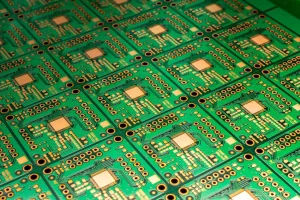
A 75% Keyboard PCB is a printed circuit board designed specifically for keyboards using the 75% layout. It provides most of the functionality of a full-size keyboard while eliminating the dedicated numeric keypad and reducing unnecessary spacing between key clusters.
Most 75% keyboards contain approximately 80–84 keys, although the exact number can vary according to the design. A typical layout includes:
- Alphanumeric keys for everyday typing
- Dedicated function keys from F1 to F12
- Arrow keys
- Modifier keys such as Shift, Ctrl, Alt, and Windows or Command
- A compact navigation-key area
- Optional programmable keys or additional controls
Compared with a 60% keyboard, the 75% layout retains a dedicated function row and arrow keys. Compared with a TKL keyboard, it uses a more compact arrangement and eliminates the separate navigation cluster.
For projects that require a complete production solution, a professional PCB Manufacturing partner can help translate the keyboard schematic and Gerber files into production-ready circuit boards.
Key Layout and Size of a 75% Keyboard PCB
The main advantage of a 75% keyboard is its efficient use of space. Instead of maintaining large gaps between different key groups, the layout brings the function row, arrow keys, and navigation keys closer to the main typing area.
Alphanumeric Keys
The central section contains the standard letter, number, punctuation, and modifier keys required for everyday typing and computer operation.
Function Row
Unlike many 60% keyboards, a 75% keyboard normally includes dedicated F1–F12 keys. This eliminates the need to access these functions through a secondary layer during normal use.
Arrow Keys
Dedicated arrow keys are retained, making the layout convenient for programming, document editing, spreadsheets, gaming, and general desktop use.
Compact Navigation Area
Depending on the specific design, navigation keys such as Home, End, Page Up, and Page Down may be arranged vertically or horizontally beside the main key cluster.
Because different manufacturers may use slightly different key arrangements, the PCB footprint, mounting holes, stabilizer positions, and switch locations must be checked before production.
Main Features of a 75% Keyboard PCB
Compact and Efficient Design
The compact footprint of a 75% PCB makes it possible to maintain important keyboard functions while reducing desk space. This is particularly useful for users who want more room for a mouse, drawing tablet, notebook, or other desktop equipment.
Hot-Swappable Switch Support
A hot-swappable PCB allows mechanical switches to be installed and replaced without soldering. This makes it easier for users to experiment with different linear, tactile, or clicky switches.
For custom keyboard projects, hot-swap sockets should be selected according to the intended switch type and PCB design.
Programmability

Programmable controllers give users greater control over the keyboard layout. Depending on the PCB design, firmware such as QMK or VIA can be used to remap keys, create macros, configure layers, and customize other keyboard functions.
Backlighting and RGB
A Custom Keyboard PCB can be designed to support single-color backlighting or individually addressable RGB LEDs. Lighting capability depends on the PCB layout, LED configuration, controller, firmware, and available electrical power.
RGB functionality can improve visual appearance while also allowing users to create customized lighting profiles.
USB-C Connectivity
USB-C has become a common interface for modern mechanical keyboards because of its compact size, reversible connector, and convenient connectivity.
When developing a PCB, the USB connector location should be coordinated with the keyboard enclosure and mounting structure to ensure proper mechanical alignment.
Wired and Wireless Connectivity
A wired PCB provides a stable connection and is particularly suitable for gaming and professional environments where consistent communication is important.
Wireless keyboard PCBs can incorporate Bluetooth or other wireless technologies to improve portability and reduce cable clutter. However, wireless designs require additional consideration for battery management, power consumption, firmware, and antenna placement.
How to Choose the Right 75% Keyboard PCB
Selecting a suitable 75% Keyboard PCB Manufacturer or PCB design starts with clearly defining the requirements of the keyboard project.
1. Define Your Budget
Establish the target cost before selecting materials, electronic components, connectors, controllers, and additional features.
For prototype projects, the priority may be design flexibility and quick turnaround. For larger production volumes, material utilization, component costs, assembly efficiency, and production consistency become increasingly important.
2. Check Switch Compatibility
Not every keyboard PCB supports every switch configuration. Confirm whether the PCB is designed for the required mechanical switches and whether it supports hot-swappable sockets.
Also check the switch orientation and LED position because these factors can affect compatibility with keycaps and switch housings.
3. Evaluate PCB Materials and Construction
The PCB material directly affects mechanical stability, electrical reliability, and long-term durability.
FR-4 is widely used for mechanical keyboard PCBs because it provides a good balance of mechanical strength, electrical insulation, thermal resistance, and cost.
Layer count should also be selected according to the electrical and mechanical requirements of the design. A simple keyboard matrix may not require a highly complex stack-up, while advanced designs with wireless functionality, RGB control, USB interfaces, and additional electronics may benefit from a more sophisticated PCB design.
4. Consider Programmability
If customization is important, choose a PCB compatible with the desired firmware and controller architecture.
Programmable functionality can allow users to:
- Remap individual keys
- Create macros
- Configure multiple layers
- Customize function keys
- Adjust RGB lighting
- Create application-specific layouts
5. Select the Required Lighting System
Determine whether the keyboard needs no lighting, single-color LEDs, per-key RGB, or another lighting configuration.
The PCB layout should account for LED placement, electrical routing, current requirements, controller capacity, and firmware support.
6. Choose Wired or Wireless Connectivity
A wired design is generally simpler and can provide highly stable communication. A wireless design provides greater flexibility but requires additional components and engineering considerations.
For wireless keyboards, designers should consider battery capacity, charging circuitry, power consumption, wireless communication, antenna placement, and enclosure constraints.
7. Check Mechanical Compatibility
Electrical compatibility alone is not enough. The PCB must physically fit the keyboard case and plate.
Before manufacturing, verify:
- PCB dimensions
- Mounting-hole positions
- Switch cutouts
- Stabilizer locations
- USB connector position
- Plate compatibility
- Case clearance
- Battery clearance for wireless versions
A detailed DFM review can identify potential manufacturing and assembly problems before production begins.
8. Consider PCB Assembly Requirements
If the keyboard PCB includes controllers, diodes, LEDs, USB connectors, hot-swap sockets, wireless modules, or other surface-mount components, PCB assembly should be considered during the design stage.
Professional PCB Assembly services can integrate component sourcing, SMT placement, soldering, inspection, and testing into a streamlined production process.
75% Keyboard PCB Manufacturing Considerations
A reliable PCB Manufacturing process is essential for maintaining dimensional accuracy, electrical performance, and production consistency.
PCB Layer and Material Selection
The appropriate layer count and PCB material should be determined according to the circuit complexity, mechanical requirements, electrical performance, and production budget.
For most standard keyboard applications, FR-4 provides an effective combination of durability and cost efficiency.
Copper Thickness
Copper thickness affects current-carrying capability and manufacturing cost. Standard copper thickness is normally sufficient for keyboard matrix circuits, LEDs, and controller electronics, but higher copper requirements may be necessary for specialized applications.
Surface Finish
Common PCB surface finishes include HASL and ENIG. ENIG is often selected for applications requiring a flat surface, good solderability, and improved contact performance.
Solder Mask and Silkscreen
Solder mask protects exposed copper and reduces the risk of short circuits. Silkscreen can be used to identify components, connectors, switch positions, polarity, and other assembly information.
Electrical Testing
Electrical testing helps verify that the finished PCB does not contain open circuits, short circuits, or other manufacturing defects.
For prototype and production keyboard projects, rapid testing can help identify PCB design problems before larger production quantities are manufactured.
Rapid Prototyping for 75% Keyboard PCBs
Before moving to mass production, prototyping is an important step for validating the PCB design and physical keyboard structure.
A prototype can be used to verify:
- Switch positions
- Key spacing
- Stabilizer alignment
- Mounting-hole locations
- USB connector placement
- PCB-to-case compatibility
- RGB lighting
- Firmware operation
- Electrical performance
Using Rapid PCBA Prototyping allows designers to evaluate a functional board before committing to larger production quantities. This can reduce development risks and make it easier to identify design issues at an early stage.
For more complex keyboard electronics, engineering teams can also review the BOM, Gerber files, pick-and-place data, and assembly requirements before production.
Component Sourcing for Custom Keyboard PCBs
A keyboard PCB may require a variety of components, including:
- Microcontrollers
- Diodes
- Hot-swap sockets
- USB-C connectors
- LEDs
- RGB LEDs
- Wireless modules
- Battery connectors
- Resistors and capacitors
- ESD protection components
Component availability should be considered during the design stage. Selecting components that are difficult to source can increase lead times and create production risks.
A professional Components Procurement service can help manage BOM verification, component sourcing, availability analysis, and purchasing as part of the overall PCBA manufacturing process.
Applications of 75% Keyboard PCBs
Gaming
The compact footprint gives gamers additional desk space for mouse movement while retaining dedicated function and arrow keys. Programmable functions can also support customized gaming commands.
Office and Business Use
A 75% keyboard provides an effective balance between productivity and compactness. The dedicated function row and arrow keys make it suitable for document editing, spreadsheets, programming, and general office applications.
Programming
Developers often benefit from dedicated function keys, arrow keys, and programmable layers while still maintaining a compact desktop footprint.
Travel and Portable Workstations
The reduced size and weight compared with full-size keyboards make 75% keyboards convenient for users who frequently move between offices, homes, or other work environments.
Custom Mechanical Keyboards
The 75% format is particularly popular among keyboard enthusiasts because it offers extensive opportunities for customization, including switches, keycaps, cases, plates, stabilizers, firmware, lighting, and PCB configurations.
Quality Control for 75% Keyboard PCBs
Quality control should cover both PCB fabrication and PCBA production.
Important inspection processes can include:
- PCB dimensional inspection
- Visual inspection
- AOI inspection
- Electrical testing
- Solder-joint inspection
- Component verification
- X-ray inspection when required
- Functional testing
- First article inspection
A comprehensive Quality Management system helps control PCB design review, DFM checking, new product introduction, manufacturing, supply chain management, assembly, and testing.
For assembled keyboard PCBs, functional testing is especially important because a board may pass visual inspection while still having electrical or firmware-related problems.
PCBA Testing for Keyboard PCB Production
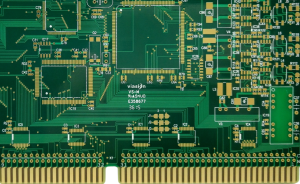
Testing verifies that the manufactured board performs according to its intended electrical design.
Depending on the project, testing may include:
Electrical Testing
Electrical tests can identify open circuits, short circuits, incorrect connections, and other PCB-related defects.
AOI Inspection
Automated Optical Inspection can detect component placement problems, missing components, solder bridges, polarity errors, and other visible assembly defects.
Functional Testing
Functional testing verifies whether the keyboard controller, switches, LEDs, USB interface, wireless functions, and other features operate correctly.
For production projects, combining automated inspection with functional testing can provide a stronger quality-control process and improve production consistency.
75% Keyboard PCB: Prototype to Mass Production
A successful keyboard PCB project typically follows several stages:
Stage 1: Design
Develop the schematic, PCB layout, key matrix, controller circuit, lighting system, connectivity, and mechanical interface.
Stage 2: Engineering Review
Review Gerber files, BOM, component footprints, PCB specifications, and manufacturing requirements to identify potential issues before production.
Stage 3: Prototype
Produce prototype PCBs or assembled PCBAs and verify electrical, mechanical, and firmware performance.
Stage 4: Design Optimization
Modify the PCB design based on prototype testing, assembly feedback, and mechanical validation.
Stage 5: Production
Move the finalized design into low-volume or mass production with controlled manufacturing and assembly processes.
Stage 6: Testing and Delivery
Inspect and test the finished boards before packaging and shipment.
This approach allows keyboard manufacturers and brands to move from an initial concept to a reliable production-ready Custom Keyboard PCB with fewer manufacturing risks.
Conclusion
A 75% Keyboard PCB provides an excellent foundation for compact mechanical keyboards that need more functionality than a 60% layout while occupying less space than a TKL or full-size keyboard.
When selecting or developing a PCB, consider layout compatibility, switch support, PCB material, programmability, RGB lighting, wired or wireless connectivity, mechanical dimensions, manufacturing requirements, and testing.
For keyboard brands, designers, and OEM manufacturers, working with an experienced PCB partner can simplify the transition from prototype to production. GOPCBA provides PCB fabrication, PCBA assembly, component procurement, prototyping, testing, and related manufacturing services to support custom electronic product development.
Ready to Start Your 75% Keyboard PCB Project?
Whether you are developing a custom mechanical keyboard, gaming keyboard, office keyboard, or another compact input device, GOPCBA can support your project from PCB fabrication and prototype development through component sourcing, assembly, and testing.
Send your Gerber files, BOM, drawings, or project requirements to the GOPCBA engineering team to begin your custom 75% Keyboard PCB project.