



Keywords
60% keyboard PCB, keyboard PCB, mechanical keyboard PCB, custom keyboard PCB, PCB assembly
Introduction
As digital workspaces continue to evolve, users increasingly demand computer peripherals that are compact, functional, comfortable, and visually appealing. A 60% keyboard meets these needs with a smaller layout that retains the essential keys while eliminating unnecessary components.
At the heart of this compact keyboard is the 60% keyboard PCB, which connects switches, LEDs, controllers, and other electronic components into an integrated circuit system. A well-designed PCB provides the electrical foundation needed for reliable key input, programmable functions, and optional lighting features.
For manufacturers and keyboard developers, selecting the right keyboard PCB is essential for achieving the desired layout, switch compatibility, connectivity, and overall user experience. Professional PCB assembly capabilities can also help transform a PCB design into a fully assembled and production-ready keyboard solution.
What Is a 60% Keyboard?
A 60% keyboard is a compact mechanical keyboard layout that typically retains the alphanumeric keys and essential modifiers while removing the dedicated number pad, function row, and navigation cluster found on larger keyboards.
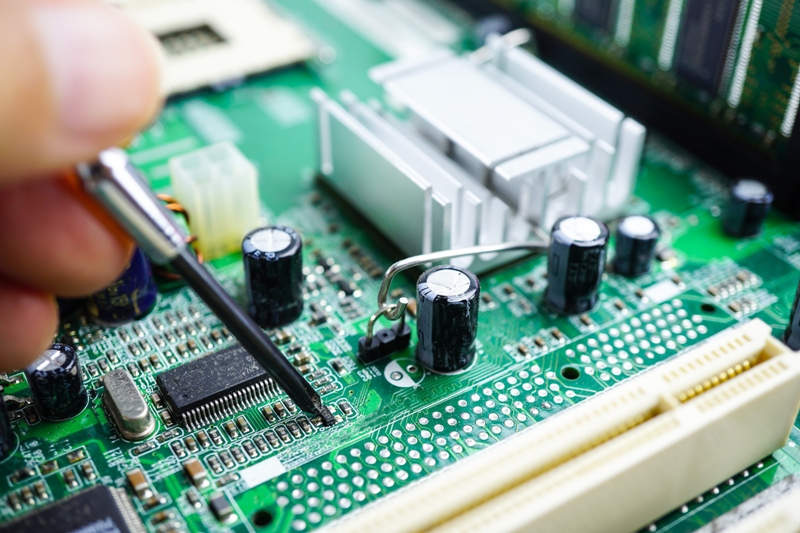
The 60% keyboard PCB serves as the electronic foundation of this layout. It electrically connects the keyboard switches, controller, LEDs, USB interface, and other components so that keystrokes can be detected and communicated to a computer.
Compared with a full-size keyboard, a 60% layout uses significantly less physical space. Although some functions are accessed through function-layer combinations rather than dedicated keys, the compact design provides a practical balance between functionality and portability.
For companies developing their own keyboard products, a custom keyboard PCB can be designed around specific key layouts, switch configurations, electronic functions, and mechanical requirements.
Benefits of Using a 60% Keyboard PCB
Enhanced Desktop Space
One of the biggest advantages of a 60% keyboard is its compact footprint. Removing the number pad, dedicated function row, and navigation cluster creates additional desk space for a mouse, monitor, or other equipment.
This is particularly useful for gaming setups, compact workstations, and users who prefer a clean and organized desktop.
Improved Portability
The smaller size and lower weight of a 60% keyboard make it easier to transport than a conventional full-size keyboard. It can be convenient for professionals who work in multiple locations, gamers who attend events, or users who frequently travel.
The compact PCB design also allows manufacturers to create thinner and lighter keyboard products without sacrificing essential functionality.
Flexible Customization
A mechanical keyboard PCB can support a wide range of customization options depending on its design. These may include different mechanical switches, programmable keys, hot-swappable sockets, RGB or single-color LEDs, and various wired or wireless connectivity solutions.
Keyboard developers can customize the PCB according to their target application, enclosure design, switch arrangement, and firmware requirements.
Working with an experienced manufacturer can simplify the transition from PCB design to production. Learn more about professional PCB assembly services for prototype development and production requirements.
Minimalist Aesthetics
The compact layout of a 60% keyboard is well suited to minimalist desktop environments. With fewer dedicated keys and a smaller enclosure, the keyboard can provide a clean appearance while still supporting advanced programmable functions.
Backlighting and customizable keycaps can further enhance the visual appearance of the finished keyboard.
60% Keyboard PCB Manufacturing Process
Developing a 60% keyboard involves several important stages, from PCB design and component selection to assembly and functional testing.
1. PCB Design and Layout
The first step is designing the PCB around the required keyboard layout. Engineers need to define switch positions, electrical traces, controller placement, USB or wireless interfaces, LED locations, mounting holes, and other mechanical constraints.
The PCB must also match the intended keyboard case and plate dimensions. Proper design coordination between the electronic and mechanical components helps prevent assembly and compatibility issues.
Manufacturers with broader PCB manufacturing capabilities can support different board specifications and production requirements from prototype quantities to larger production runs.
2. Component Selection
The next step is selecting suitable components for the keyboard PCB. Depending on the product design, these may include mechanical switches, hot-swap sockets, microcontrollers, diodes, LEDs, USB connectors, wireless modules, and other electronic components.
Component selection should consider electrical performance, availability, durability, cost, and compatibility with the final keyboard design.
3. PCB Assembly
After PCB fabrication and component sourcing, the components are assembled onto the board. Surface-mount technology (SMT) may be used for compact electronic components, while through-hole assembly can be used for selected components where appropriate.
For hot-swappable keyboards, switch sockets can be installed directly onto the PCB, allowing users to replace compatible switches without soldering.
Professional PCB assembly helps ensure accurate component placement, reliable solder joints, and consistent production quality.
4. Firmware Programming and Testing
Once assembly is complete, the keyboard controller can be programmed according to the required key mapping, macros, lighting effects, and other functions.
Firmware platforms such as QMK or VIA may be used for compatible keyboard designs. Functional testing should then verify key registration, LED operation, connectivity, power consumption, and other electrical characteristics.
5. Final Integration
The assembled PCB is installed into the keyboard case together with the plate, switches, stabilizers, keycaps, and other mechanical components.
A final inspection confirms that the PCB fits correctly and that all keys and electronic functions operate as intended.
Applications of 60% Keyboard PCBs
Gaming
60% keyboards are particularly popular among gamers because their compact layout leaves more room for mouse movement. The programmable functionality of a mechanical keyboard PCB can also support customized key mappings and macros for different games.
The reduced footprint can be especially valuable for gaming desks with limited space.
Typing and Writing
Writers, programmers, and frequent typists may prefer 60% keyboards because the compact layout keeps commonly used keys within a smaller working area.
Although dedicated function and navigation keys are removed, their functions can typically be accessed through programmable layers and key combinations.
Portable Workstations
The compact size of a 60% keyboard makes it suitable for mobile workstations and users who frequently change locations. It can fit more easily into backpacks and compact equipment cases than a full-size keyboard.
For product developers targeting portable applications, a carefully optimized custom keyboard PCB can help reduce overall product size while retaining essential functionality.
Minimalist Desktop Setups
A 60% keyboard is also well suited to minimalist workspaces. Its compact enclosure and simplified layout can create a cleaner desktop without eliminating essential typing functions.
This combination of small size, programmability, and customization makes the 60% format attractive for both consumer and enthusiast keyboard products.
Choosing the Right 60% Keyboard PCB
When selecting or developing a 60% keyboard PCB, several technical factors should be evaluated:
- Layout compatibility: Confirm that the PCB matches the intended 60% key arrangement and case.
- Switch compatibility: Determine whether the design supports soldered switches, hot-swappable switches, or specific switch standards.
- Controller: Select a suitable microcontroller based on processing requirements, firmware compatibility, and available I/O.
- Connectivity: Consider USB, Bluetooth, wireless, or other communication requirements.
- Lighting: Determine whether the PCB needs RGB, per-key LEDs, or other lighting functions.
- Firmware: Ensure compatibility with the intended programming platform and customization features.
- Manufacturing requirements: Evaluate PCB material, layer count, surface finish, component sourcing, assembly process, and production volume.
- Quality control: Verify that the manufacturer has appropriate inspection and testing procedures.
A capable manufacturing partner can help address these requirements during prototyping, assembly, and production. You can also learn more about the company and its manufacturing capabilities on the About Us page.
Conclusion
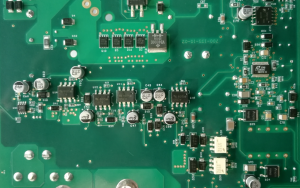
A 60% keyboard PCB is the electronic foundation of a compact keyboard, integrating switches, controllers, LEDs, connectivity, and other components into a space-efficient design.
Its compact structure provides several advantages, including reduced desktop footprint, improved portability, flexible customization, and a minimalist appearance. These characteristics make 60% keyboards suitable for gaming, typing, portable workstations, and modern desktop setups.
For keyboard manufacturers and product developers, the right keyboard PCB should balance electrical performance, mechanical compatibility, component selection, firmware functionality, manufacturability, and cost.
Whether you are developing a new mechanical keyboard, creating a customized keyboard product, or moving from prototype to volume production, professional PCB design, manufacturing, and PCB assembly capabilities can help turn your concept into a reliable finished product.
Ready to Develop Your Custom Keyboard PCB?
From PCB fabrication and component sourcing to assembly and production support, GOPCBA provides solutions for electronic product development and manufacturing.
If you are developing a 60% keyboard or another custom electronic product, working with an experienced manufacturing partner can help streamline prototyping, assembly, testing, and production while maintaining consistent quality.
Visit GOPCBA to learn more about its PCB and PCBA capabilities or explore the company’s manufacturing experience and request support for your next PCB project.